
PCIe 5.0 storage has matured from a benchmark curiosity into a genuine workflow upgrade, and two drives now define the top of the market: Samsung’s 9100 Pro and Crucial’s T705. Both push sequential speeds around double what the best Gen4 drives manage. Both also demand respect on cooling. Here is how they compare, and who should actually buy one.
The Contenders at a Glance
| Spec | Samsung 9100 Pro 2TB | Crucial T705 2TB |
|---|---|---|
| Interface | PCIe 5.0 x4, NVMe 2.0 | PCIe 5.0 x4, NVMe 2.0 |
| Seq. read (rated) | Up to 14,700 MB/s | Up to 14,500 MB/s |
| Form factor | M.2 2280 | M.2 2280 |
| Warranty | 5 years | 5 years |
| Newegg price (verified) | $399.99 | $392.95 |
Deep Dive: Samsung 9100 Pro
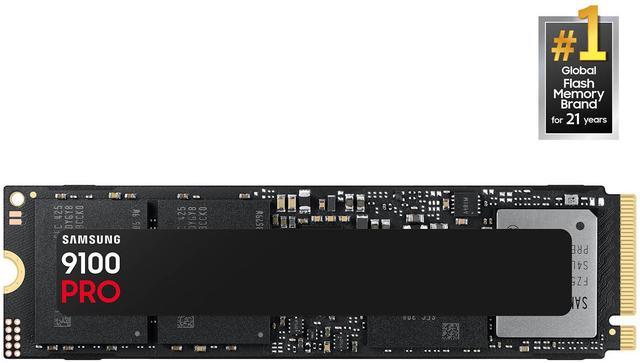
The Samsung 9100 Pro 2TB ($399.99 on Newegg at this writing) is Samsung’s first consumer Gen5 flagship, rated at up to 14,700 MB/s reads for this capacity. It pairs strong sequential numbers with the consistency and mature Magician software Samsung is known for, and its random I/O performance keeps everyday responsiveness snappy. A heatsink version is available for open motherboard slots.
Deep Dive: Crucial T705
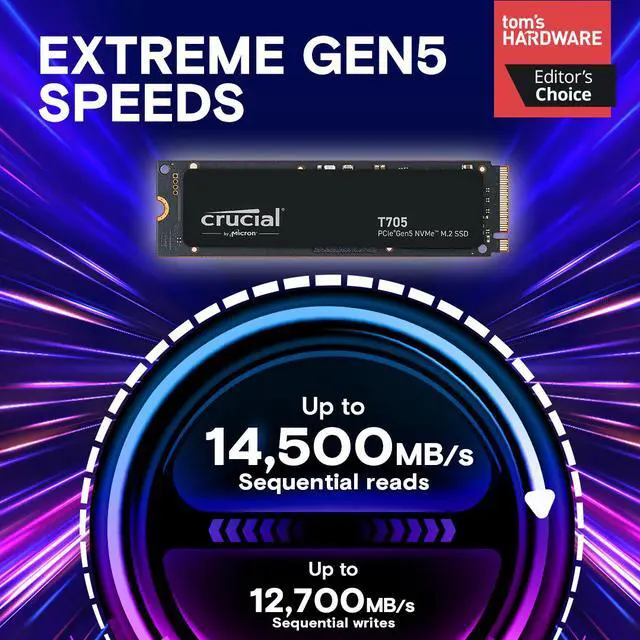
The Crucial T705 2TB ($392.95) answers with up to 14,500 MB/s reads and 12,700 MB/s writes, numbers PCWorld called the fastest they had tested when it debuted. Micron’s in-house NAND gives Crucial tight control of the whole stack, and the T705 has built a long track record since launch.
The Cooling Caveat Neither Brand Advertises Loudly
Gen5 controllers run hot. Without airflow or a heatsink, sustained transfers can throttle dramatically; independent testing has shown top Gen5 drives dropping from 13,000-plus MB/s to under half that during long writes with no cooling. Use your motherboard’s M.2 heatsink or buy the heatsink SKU, and treat active airflow over the slot as part of the purchase.
Who Actually Needs Gen5?

Honest answer: gamers do not, yet. Game load times differ by seconds or less versus a good Gen4 drive. The buyers who feel Gen5 daily are creators and professionals: video editors moving 100GB RAW projects, photographers ingesting cards, AI developers shuffling model checkpoints. For those workflows, doubling sequential bandwidth is measured in saved minutes every single day.
Winner by Category
Peak rated speed and software polish: Samsung 9100 Pro. Price per performance at the top: Crucial T705, by a whisker at current pricing. Either way you land on a superb drive; the real decision is capacity and cooling. Compare more PCIe 5.0 SSDs on Newegg to match your budget and motherboard.
Read More
- Tom’s Hardware: Best SSDs — The definitive, regularly updated SSD rankings.
- PCWorld: Crucial T705 Review — Full lab testing of the T705’s record-setting performance.
- Samsung Official: 9100 Pro Product Page — Complete manufacturer specifications.
- Crucial Official: T705 Product Page — Manufacturer specs and endurance ratings.
- Newegg Insider: PCIe 5.0 vs 4.0, Worth Upgrading? — The value analysis if you are on the fence.
Related Posts
- Best PCIe 5.0 NVMe SSDs in 2026
- Best OLED Gaming Monitors in 2026
- How to Upgrade a Prebuilt Desktop PC: What You Can and Cannot Change
- B850 vs B860: How to Pick a Motherboard in 2026
- Best CPU Coolers in 2026: Air vs AIO for Every Build
Frequently Asked Questions
Common questions about high-end PCIe 5.0 SSDs.