
Selecting the right gaming monitor size represents one of the most impactful decisions in building your gaming setup, yet it’s often overshadowed by discussions of resolution, refresh rate, and panel technology. In 2026’s diverse gaming landscape, where screen sizes range from compact 24-inch displays to massive 49-inch ultrawides, understanding how size affects your gaming experience, workspace ergonomics, and visual comfort is essential for making the optimal choice.
The Three Standard Gaming Monitor Sizes
While gaming monitors span from 21 to 49+ inches, three sizes dominate the market and represent distinct optimization points for different gaming needs and desk configurations.
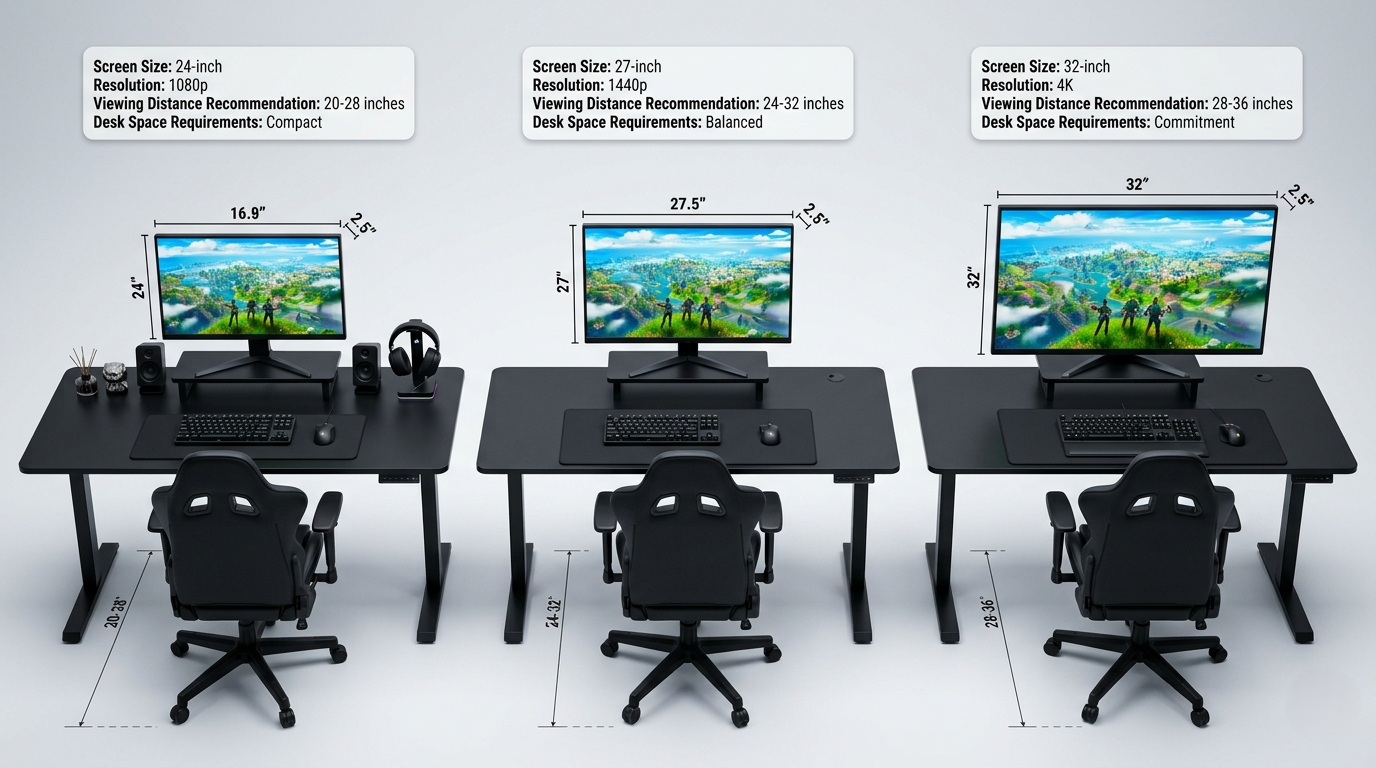
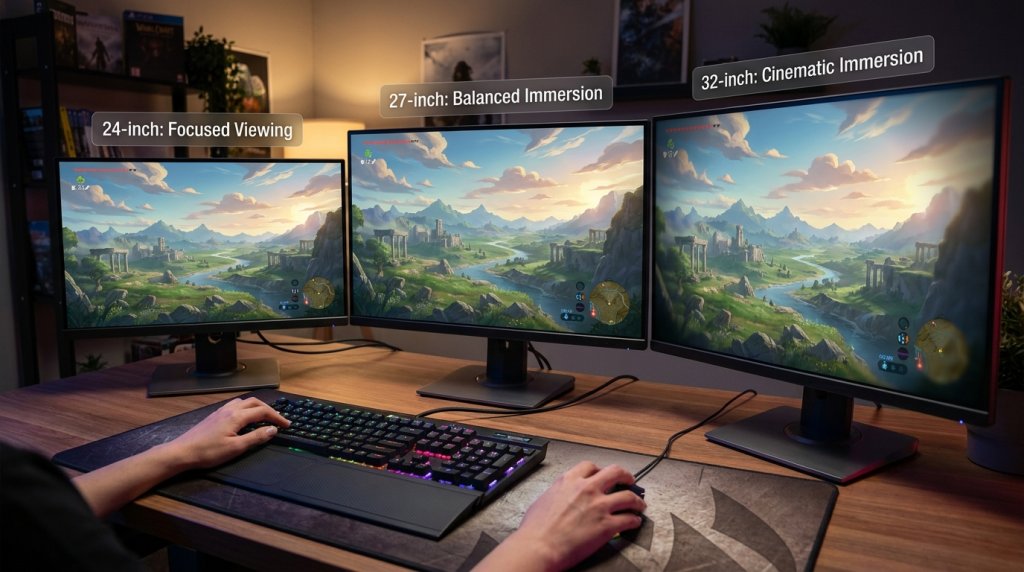
24-Inch: The Competitive Standard
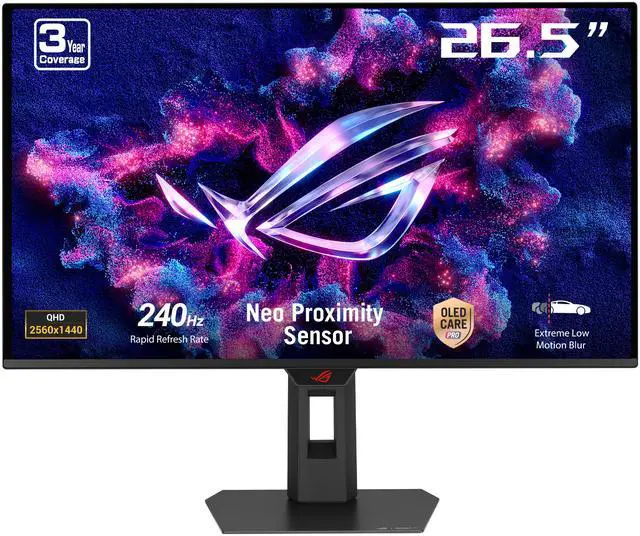
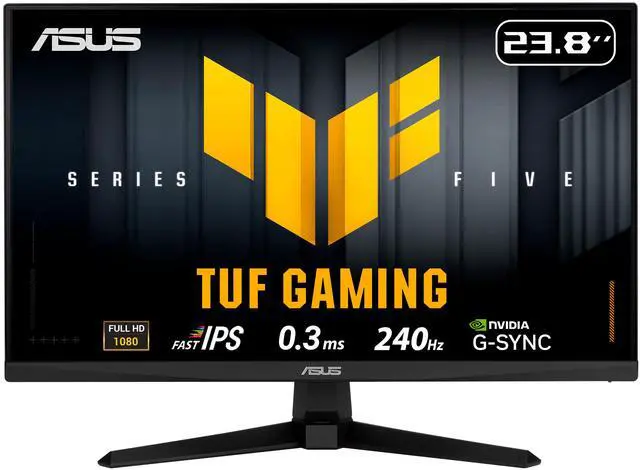
24-26 inch gaming monitors have long been the preferred size for competitive esports gaming, and this preference persists in 2026 for sound ergonomic and performance reasons.
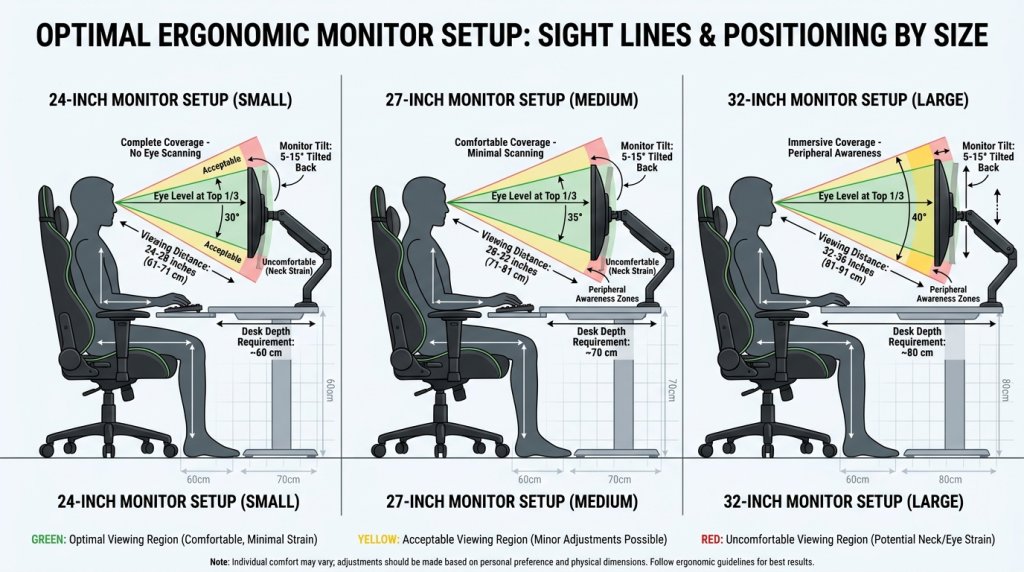
At typical desktop viewing distances of 24-30 inches, 24-inch displays allow gamers to see the entire screen without eye or head movement. This complete field-of-view coverage without scanning proves crucial in competitive scenarios where split-second awareness of on-screen information determines outcomes.
The compact form factor also enables positioning the display closer to your eyes while maintaining comfortable viewing angles, reducing the physical distance your eyes must track moving targets. Professional esports players consistently choose this size for these ergonomic advantages, making it the de facto standard in competitive gaming environments.
For resolutions, 24-inch displays pair optimally with 1080p, delivering approximately 92 PPI—sufficient for clear imagery without requiring display scaling. Some competitive players choose 1080p high-refresh-rate displays at this size specifically for the performance advantages the resolution-size pairing offers.
27-Inch: The Versatile Sweet Spot
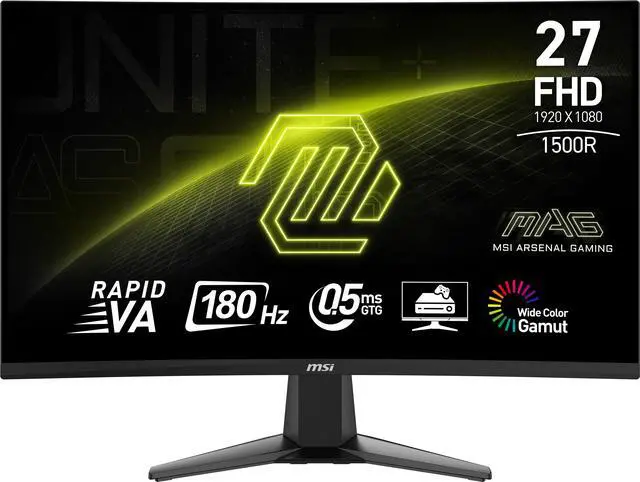
27-inch has emerged as the most popular gaming monitor size in 2026, representing an optimal balance for diverse gaming and productivity needs. This size offers significantly more screen real estate than 24-inch displays while remaining manageable on standard desks.
At 27 inches, the entire display remains within comfortable viewing range at typical desktop distances without requiring excessive eye movement. This makes it suitable for both competitive gaming and immersive single-player experiences where larger viewing areas enhance engagement.
The resolution sweet spot for 27-inch displays is unquestionably 1440p, providing approximately 109 PPI—sharp enough for crisp text and detailed game visuals without requiring operating system scaling. This resolution-size pairing explains much of 1440p gaming monitors’ market dominance.
For versatile gamers who play diverse genres, work from home, or create content, 27-inch strikes the ideal balance between gaming performance and functional workspace. The additional desktop real estate compared to 24-inch displays makes multitasking significantly more comfortable.
32-Inch: Immersive Gaming Focus
32-inch gaming monitors create more cinematic, immersive experiences ideal for story-driven single-player games and simulation titles. The larger viewing area increases presence and engagement in atmospheric games where visual impact takes priority over competitive precision.
However, 32-inch displays at typical desktop distances begin pushing the limits of comfortable viewing. Some parts of the screen edge into peripheral vision, and tracking UI elements positioned at screen corners requires slight eye movement. For fast-paced competitive gaming, this can disadvantage players compared to smaller displays.
Resolution becomes critical at 32 inches. While 1440p remains usable (approximately 92 PPI), 4K gaming monitors at this size deliver noticeably superior clarity at approximately 138 PPI. The combination of large size and high resolution creates stunning visual experiences for games designed to showcase graphics.
Gaming Monitor Size Comparison Matrix
| Screen Size | Viewing Distance | Field of View Coverage | Best Resolution | Primary Use Case | Desk Space Required |
|---|---|---|---|---|---|
| 24-26″ | 24-28″ | Complete (no scanning) | 1080p | Competitive Esports | Minimal (24″ deep) |
| 27″ | 26-32″ | Comfortable (minimal scanning) | 1440p | Balanced/Multi-Purpose | Standard (28″ deep) |
| 32″ | 30-36″ | Immersive (peripheral coverage) | 1440p/4K | Cinematic Gaming | Generous (30″+ deep) |
| 34″ UW | 32-40″ | Wraparound (peripheral) | 3440×1440 | Immersive/Productivity | Wide (32″+ deep) |
Desk Space and Ergonomic Considerations
Physical desk configuration significantly impacts optimal monitor size selection, yet gamers often overlook these practical constraints until after purchase.
Desk Depth Requirements
Standard desks typically measure 24-30 inches deep. At these depths, 24-27 inch monitors work optimally, positioning the screen at comfortable viewing distances without crowding your keyboard and mouse space. The G-Sync and FreeSync enabled displays at these sizes fit naturally into typical gaming setups.
32-inch displays require deeper desks or monitor arms that position the screen further back. On shallow desks, 32-inch monitors positioned too close create uncomfortable viewing angles and neck strain from excessive upward viewing angles.
Viewing Angle and Neck Ergonomics
Ergonomic guidelines recommend positioning monitors so your eye level aligns with the top third of the screen, with the display tilted slightly upward toward your face. Achieving this positioning becomes more challenging with larger displays unless using height-adjustable stands or arms.
At 32 inches, the vertical screen height spans approximately 16 inches—a substantial vertical field requiring careful positioning to avoid neck strain during extended gaming sessions. Smaller 24-27 inch displays offer more forgiving ergonomic positioning across various desk and seating configurations.
Multi-Monitor Considerations
Many gamers utilize multi-monitor setups for streaming, productivity, or expanded gaming real estate. Monitor size dramatically impacts multi-monitor feasibility and comfort.
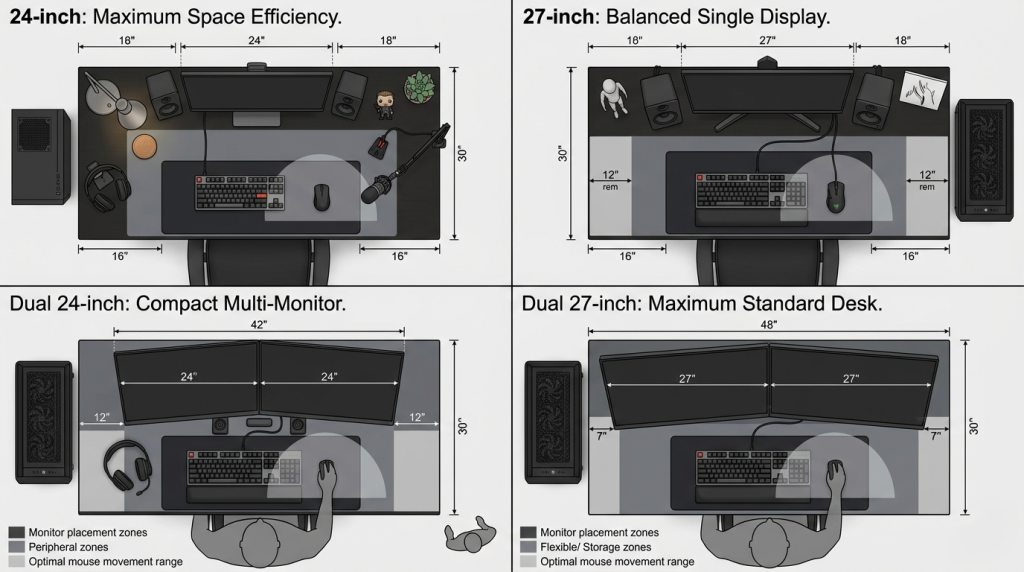
24-inch displays work excellently in dual or triple monitor configurations, fitting on standard desks without overwhelming available space. Two 24-inch displays side-by-side measure approximately 42 inches wide—manageable on typical 60-inch desks.
27-inch displays in multi-monitor setups require more careful planning. Dual 27-inch monitors span approximately 48 inches, leaving less peripheral desk space. Triple 27-inch configurations typically require 72+ inch desks or L-shaped desk configurations.
32-inch displays rarely work well in multi-monitor gaming configurations due to space requirements and viewing distance challenges. For expanded screen real estate at this size, ultra-wide displays 33+ inches or 39+ inches offer better solutions than multiple standard displays.
Gaming Genre and Size Optimization
Different gaming genres benefit from different screen sizes based on their information density, pacing, and visual priorities.
Fast-Paced Competitive Games
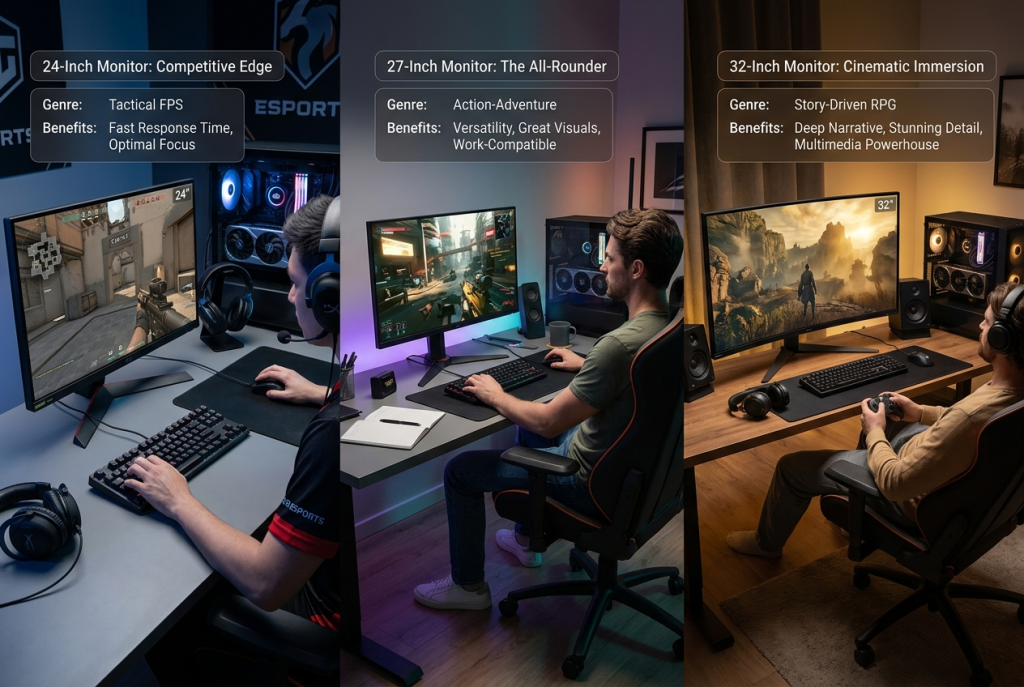
First-person shooters, fighting games, and MOBAs benefit from 24-27 inch displays where complete screen awareness without eye movement enhances reaction times and situational awareness. Professional Counter-Strike 2, Valorant, and League of Legends players overwhelmingly choose these sizes.
The compact viewing area ensures critical UI elements—health bars, minimaps, ability cooldowns—remain within immediate sight lines without requiring conscious attention to check. This subconscious information processing advantage becomes crucial in competitive scenarios.
Story-Driven Single-Player Games
Atmospheric RPGs, adventure games, and story-focused titles benefit from larger 27-32 inch displays that increase immersion and visual impact. Games like Cyberpunk 2077, Baldur’s Gate 3, and The Witcher IV leverage large displays to create engaging, cinematic experiences.
Curved gaming monitors at these larger sizes further enhance immersion by matching the natural curvature of human vision, creating wraparound experiences particularly effective for single-player gaming.
Simulation and Strategy Games
Racing simulators, flight simulators, and grand strategy games benefit from maximum screen real estate. 32-inch displays or ultra-wide alternatives provide the detailed cockpit views and expansive map perspectives these genres reward.
Resolution and Size Pairing in 2026
The relationship between resolution and screen size determines pixel density, directly affecting perceived sharpness and clarity. Optimal pairings have emerged through years of user feedback and market evolution.
24-Inch Optimal Pairings:
- 1080p: 92 PPI (standard, competitive gaming)
- 1440p: 122 PPI (very sharp, higher GPU demand)
27-Inch Optimal Pairings:
- 1440p: 109 PPI (ideal balance, most popular)
- 4K: 163 PPI (very sharp, highest GPU demand)
32-Inch Optimal Pairings:
- 1440p: 92 PPI (minimum acceptable clarity)
- 4K: 138 PPI (preferred for visual quality)
These pairings inform purchasing decisions, as choosing 1080p at 32 inches or 4K at 24 inches creates suboptimal experiences with either visible pixelation or unnecessarily high GPU demands without perceptible sharpness benefits.
HDR and Screen Size Interactions
HDR gaming monitors have become increasingly common in 2026, and screen size affects HDR impact meaningfully. Larger displays create more dramatic HDR effects through expanded viewing areas that better trigger peripheral vision responses to brightness and color.
However, HDR implementation quality matters more than size alone. A well-implemented HDR system on a 27-inch display outperforms poor HDR on 32-inch alternatives. OLED gaming monitors, with their per-pixel brightness control, deliver exceptional HDR across all sizes.
GPU Considerations by Monitor Size
Monitor size indirectly impacts GPU requirements through typical resolution pairings. Planning your gaming setup requires considering whether your graphics card can drive your preferred size-resolution combination at desired frame rates.
24-inch displays typically pair with 1080p, placing minimal demands on modern GPUs from both NVIDIA and AMD, enabling high refresh rate gaming even with mid-range hardware.
27-inch displays typically use 1440p, requiring moderately powerful GPUs but remaining accessible with current-generation mid-to-high-end hardware, especially when leveraging AI upscaling technologies.
32-inch displays often use 4K resolution, demanding flagship-tier GPUs for high refresh rate gaming, though 1440p at 32 inches offers a more accessible alternative.
The Ultra-Wide Alternative
Before committing to standard 16:9 displays, consider ultra-wide alternatives that may better serve specific gaming needs. Ultra-wide 33+ inch displays and massive 39+ inch screens provide expansive horizontal viewing while maintaining manageable vertical height.
For simulation gaming, immersive single-player experiences, and productivity work, ultra-wide displays often provide superior experiences to standard multi-monitor setups with better game compatibility and no bezels interrupting views.
Making Your Size Decision
Choosing optimal gaming monitor size requires honest assessment of your primary use cases, physical desk constraints, and gaming preferences.
Choose 24-26 inch when:
- Competitive gaming is your primary focus
- You have limited desk space
- You want complete screen coverage without eye movement
- You play primarily fast-paced multiplayer games
- You plan multi-monitor configurations
Choose 27 inch when:
- You play diverse game genres
- You want balanced gaming and productivity capability
- You have standard desk depth (26-30 inches)
- You prefer 1440p resolution
- You want the most versatile option
Choose 32 inch when:
- Immersive single-player gaming is your priority
- You have generous desk space and depth
- You primarily play story-driven or simulation games
- You can accommodate 4K resolution hardware requirements
- Visual impact matters more than competitive optimization
For most gamers seeking optimal balance across diverse needs, 27 inches at 1440p resolution represents the sweet spot in 2026. However, dedicated competitive players benefit from smaller displays, while cinematic gaming enthusiasts justify larger sizes despite their ergonomic and space demands.
Related Posts
- How to Enable G-Sync or FreeSync on Your Monitor: A Complete Setup Guide
- Five Mac Studio Display Alternatives
- LG dazzles with new monitors and a 48-inch G-SYNC + FreeSync OLED gaming TV at CES 2020
- Samsung announces new gamer-focused CRG5 monitor at E3 2019
- Nixeus NX-EDG27 v2 Gaming Monitor: Stellar, Affordable FreeSync at 144Hz and 1440p