
Choosing the best NVMe SSD for gaming in 2026 used to be simple: buy a fast PCIe 4.0 drive and move on. Now PCIe 5.0 drives are mainstream, capacities are bigger, and prices swing constantly. The truth is that the “best” gaming SSD depends entirely on what you play, the rig you own, and how much you want to spend. This guide skips the hype and walks through real scenarios so you can match a drive to your actual setup.
Who Needs This?
If you build or upgrade your own PC, a quality NVMe SSD is one of the highest-impact parts you can buy. Game install sizes routinely top 100GB, and titles built around DirectStorage stream assets directly off the SSD, so storage speed and capacity now affect load times, texture pop-in, and how many games you can keep installed at once.
You should care about this guide if any of these sound like you: you are running out of room on a small boot drive, you are building a new gaming rig and want the right drive the first time, you own a current-gen motherboard with an open PCIe 5.0 M.2 slot, or you have a PlayStation 5 that needs a compatible expansion drive. If you only browse the web and play lightweight titles, almost any modern NVMe drive is plenty, so prioritize capacity and price over peak speed. You can browse the full lineup on the Newegg NVMe SSD listings while you read.
Use-Case Scenarios
PCIe generation is the first fork in the road. PCIe 4.0 drives top out around 7,000-7,500 MB/s sequential reads, while PCIe 5.0 drives push past 14,000 MB/s. That headline number looks dramatic, but in most games the real-world difference is small today. PCIe 5.0 matters most for creators moving huge files and for future DirectStorage titles, while PCIe 4.0 remains the sweet spot for pure gaming value.

Here is how the most popular 2026 gaming drives compare. Speeds are manufacturer-rated sequential figures for the 2TB models where available.
| Drive | Interface | Seq. Read | Seq. Write | Best For |
|---|---|---|---|---|
| Crucial P3 Plus | PCIe 4.0 | Up to 5,000 MB/s | Up to 4,200 MB/s | Budget / capacity |
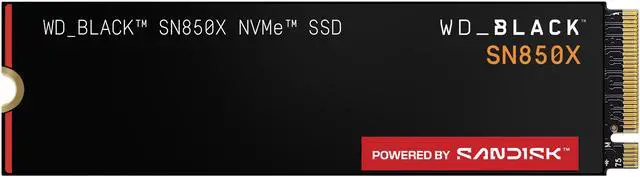
| WD Black SN850X | PCIe 4.0 | Up to 7,300 MB/s | Up to 6,600 MB/s | Gaming and PS5 |
| Samsung 990 Pro | PCIe 4.0 | Up to 7,450 MB/s | Up to 6,900 MB/s | All-around flagship |
| Crucial T705 | PCIe 5.0 | Up to 14,500 MB/s | Up to 12,700 MB/s | Max speed / creators |
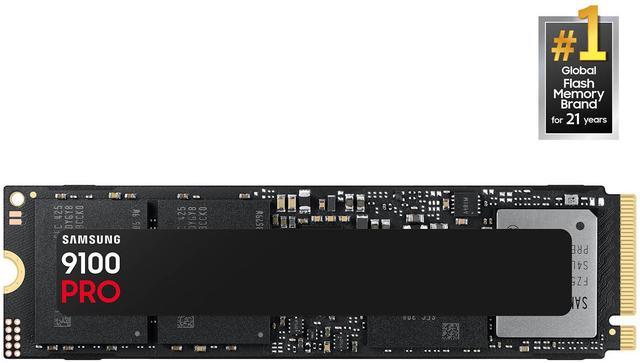
| Samsung 9100 Pro | PCIe 5.0 | Up to 14,800 MB/s | Up to 13,400 MB/s | Gen 5 flagship |
Beyond raw speed, think about three things. First, capacity: 1TB fills fast in 2026, so 2TB is the new baseline for a gaming library and 4TB is worth it if you keep many titles installed. Second, heat: PCIe 5.0 drives run hot and usually ship with or require a chunky heatsink, so confirm your motherboard slot has clearance. Third, the PS5: it requires a PCIe 4.0 (or compatible) M.2 drive with a heatsink, which steers most console owners toward a proven Gen 4 pick rather than a Gen 5 one.
Best Pick per Scenario
Best value all-around (PCIe 4.0): The Samsung 990 Pro remains the drive most gamers should buy. At up to 7,450 MB/s read and 6,900 MB/s write, it is fast enough for any current game, runs cooler than Gen 5 drives, comes in 1TB, 2TB, and 4TB capacities, and a heatsink version is offered for PS5 owners. It is the safe, do-everything choice.

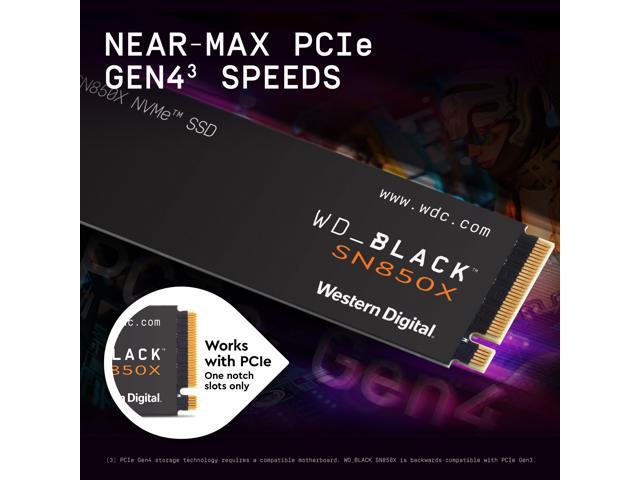
Best for gaming and PlayStation 5: The WD Black SN850X is purpose-built for gaming, with rated speeds up to 7,300 MB/s read and 6,600 MB/s write, plus an optional RGB heatsink model and broad PS5 compatibility. Its Game Mode firmware and predictive loading make it a favorite for console expansion and console-like desktop builds.
Best budget and big-capacity pick: The Crucial P3 Plus is the way to add a lot of cheap space. With up to 5,000 MB/s reads, it is slower than the flagships and uses QLC NAND, but for storing a large library or a secondary game drive, the cost per terabyte is hard to beat. Pair it with a faster boot drive for the best of both worlds.
Best for maximum speed and creators (PCIe 5.0): The Crucial T705 was the first drive to break 14,000 MB/s, with the 2TB model rated up to 14,500 MB/s read and 12,700 MB/s write. It is overkill for most games today but ideal if you also edit high-resolution video or move enormous files. Just budget for its heatsink and make sure your board supports Gen 5.
Best Gen 5 flagship: The Samsung 9100 Pro tops the charts at up to 14,800 MB/s read and 13,400 MB/s write, with strong random performance and a five-year warranty. If you want the fastest mainstream NVMe drive available and a brand with a long reliability track record, this is it. Compare current Gen 5 options in the Newegg SSD category.
Verdict
For most gamers in 2026, a 2TB PCIe 4.0 drive like the Samsung 990 Pro or WD Black SN850X hits the best balance of speed, capacity, heat, and price. You will not notice a slower drive in most games, and you will appreciate the extra room and lower temperatures. Reach for PCIe 5.0 only if you have an open Gen 5 slot and a workload, such as creative work or heavy DirectStorage titles, that actually uses the bandwidth. On a tight budget, the Crucial P3 Plus delivers the most gigabytes per dollar. Match the drive to your scenario rather than chasing the biggest number, and you will get a gaming SSD that feels great for years.
Related Posts
- Best SSDs and Storage Upgrades for Students in 2026
- Best NVMe SSDs for Students and Creators in 2026
- Best 2TB NVMe Gen4 SSDs for Your 2026 Build
- Wi-Fi 8 Is Almost Here: What ASUS’s Wi-Fi 8 Routers Actually Mean
- Best OLED Gaming Monitors in 2026
Frequently Asked Questions
Answers to common questions about this topic.